Tag: gadgets

  • Wireless Earbuds Buying Guide: What Actually Matters

    Wireless Earbuds Buying Guide: What Actually Matters

    Walk into any electronics shop and you will find a wall of wireless earbuds with prices from the cost of a sandwich to the cost of a laptop. The marketing is loud, the specifications are confusing and the differences can feel tiny. Yet a few factors genuinely change your daily experience, and most of the rest is noise.

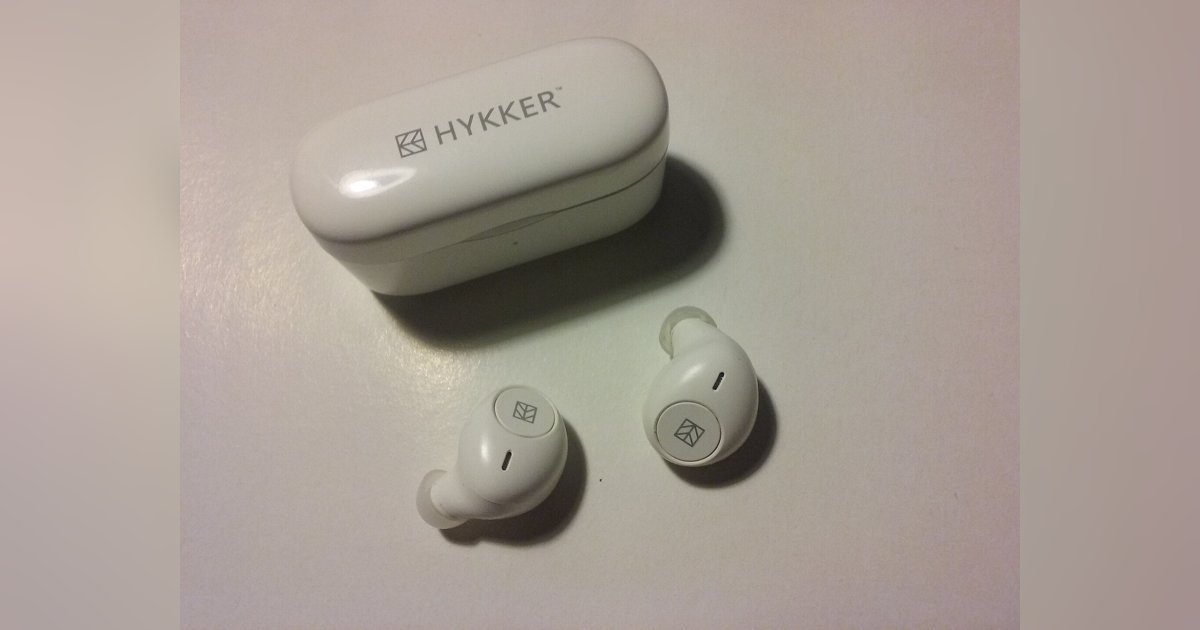
    Wireless earbuds: fit and comfort come first

    The best sound in the world is useless if the buds hurt after an hour or fall out when you jog. Fit also affects sound quality, because a good seal in the ear canal is what delivers bass and blocks outside noise.

    • In-ear tips with silicone sleeves seal best and usually include several sizes. Try them all.
    • Open-fit designs sit at the ear opening, which is comfortable and lets you hear traffic, though they leak more sound and have weaker bass.
    • Wing or hook designs add stability for sport.

    If you can, test in person or buy from a seller with an easy return policy.

    Noise cancelling versus transparency

    Active noise cancelling uses microphones to pick up ambient sound and produces opposing waves to reduce it. It works best on steady, low sounds like aircraft engines, train rumble and air conditioning, and it is less effective against sudden noises like voices. Cancelling quality varies a lot between models, so check independent reviews that test it.

    Transparency or ambient mode does the opposite, passing outside sound through the microphones so you can hear announcements or hold a conversation without removing the buds. It is a feature worth having if you commute or walk in cities.

    Battery life in the real world

    Manufacturers publish figures such as six hours of listening, with the case adding several more charges. These numbers usually assume moderate volume and noise cancelling off. Expect somewhat less when cancelling is on.

    Consider how you use them. For a commute of an hour each way, five hours per charge is plenty. For long flights or all-day calls, look for more, and check whether a quick ten-minute charge gives an hour or so of playback. Remember that small batteries wear out, and many earbuds are hard to repair, so lifespan is a legitimate part of the price.

    Sound quality and codecs

    Bluetooth sends audio with a codec, a method of compressing it. The basic one, SBC, works on everything. AAC is common on Apple devices, and others such as aptX or LDAC on some Android phones can offer higher quality when both phone and earbuds support them. Honestly, in a noisy street most people struggle to hear the difference. What matters more is the tuning: whether the sound is balanced, with clear voices and controlled bass. Reviews that include measurements and companion app equalizers can help here.

    Calls and microphones

    If you take many calls, test microphone quality. Good models use several microphones and software to isolate your voice. Earbuds that sound great for music can still make you sound muffled to the person on the other end. Look for reviews with recorded call samples.

    Connectivity and extras

    1. Bluetooth version. Newer versions improve stability and efficiency, but any recent one is adequate.
    2. Multipoint pairing. Lets you connect to a laptop and phone at once and switch automatically.
    3. Water resistance. Look for an IPX4 rating or higher for sweat and light rain. It does not mean you can swim.
    4. Controls. Physical buttons are easier to use in gloves than touch surfaces that trigger accidentally.
    5. Find-my features. A tracking function can save you when a single bud goes missing.

    How much should you spend on wireless earbuds?

    Budget models from reputable brands now deliver surprisingly good sound and decent battery life. Spending more usually buys better noise cancelling, call quality, build, software polish and integration with your phone. Mid-range options often give the best value. Be sceptical of dramatic claims, and compare a couple of independent reviews instead of trusting a single source.

    Finally, protect your ears. Keep the volume at a level where you can still hear someone speaking nearby, and take breaks during long sessions. The right wireless earbuds are the ones that fit well, sound pleasant at moderate volume and last through your normal day, and that is a simple standard to shop by.

    For more background, see the Wikipedia article.
    Related reading

  • Smart Speaker Privacy: What Your Device Hears and Stores

    Smart Speaker Privacy: What Your Device Hears and Stores

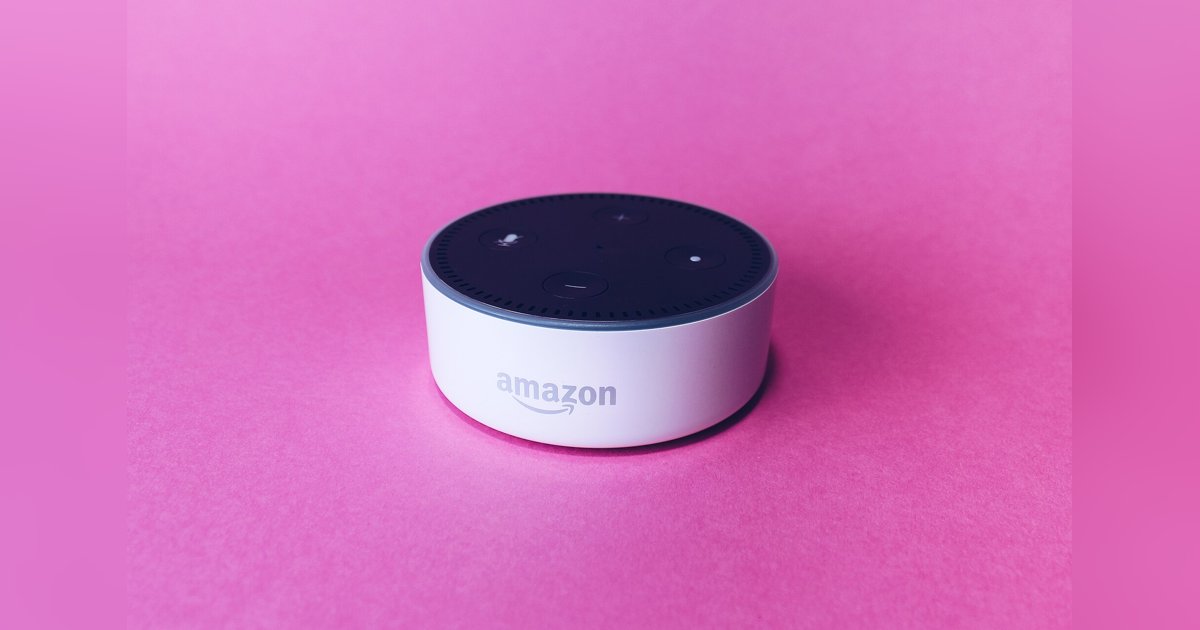
    A small cylinder on the kitchen counter that answers questions, plays music and sets timers is undeniably handy. It is also a microphone in your home, which is why smart speaker privacy deserves a few minutes of attention. The good news is that you have more control than most owners realize.

    How these devices listen

    Smart speakers are designed to wait for a wake word, such as the assistant’s name. Until they hear it, a small piece of on-device software scans the audio in a short temporary buffer, discarding it continuously. Once the wake word is detected, the device starts sending what you say to the company’s servers, where it is converted to text and processed to produce a reply.

    False activations do happen. Words that sound like the wake word, or background television dialogue, can occasionally start a recording you never intended. Manufacturers have acknowledged this, and it is one reason the history of recordings is worth reviewing.

    What gets stored

    Typically, an account linked to the speaker keeps a history of your voice requests, and sometimes the audio itself, along with the device’s responses and related data such as location and linked services. Companies say they use this to improve accuracy and personalize results. Policies differ by brand and have changed over the years, so read the current terms rather than relying on old news stories.

    Some providers have also used human reviewers to check samples of recordings for quality, which caused controversy in past years. Most now offer settings to opt out of that, though defaults vary.

    Settings that improve smart speaker privacy

    Open the companion app or your account privacy dashboard and look for these options.

    • Review and delete history. You can usually view requests and remove them individually or all at once.
    • Auto-delete. Many services let you set recordings to delete after a few months or not be saved at all.
    • Opt out of human review or model training. Look for wording about improving services using voice recordings.
    • Mute button. The physical switch cuts power to the microphones, and a light usually shows when it is on. Use it during sensitive conversations.
    • Voice purchasing controls. Require a PIN so a guest, a child or a television cannot place orders.
    • Disconnect unused skills and linked accounts. Every connected service is another place your data may travel.

    Placement and household etiquette

    Where you put the speaker matters. Keep it out of bedrooms and home offices where you take private calls. Place it away from windows if you worry about outside voices triggering it. Tell visitors that a voice assistant is present, particularly in shared homes or rental properties, because other people did not consent to being near a microphone.

    If you have children, check the family settings. Some providers have child-focused modes and parental dashboards, and laws like COPPA in the United States regulate data collected from young children.

    Network security counts too

    A secure speaker still depends on a secure home network. Change the default router password, use a strong Wi-Fi passphrase, and install firmware updates for the router and the speaker. If your router supports a guest network, put smart gadgets there so that a compromised device cannot reach your laptops.

    Protect the account itself with a unique password and two-factor sign-in, because anyone who accesses it can see your history.

    Is smart speaker privacy worth the trouble?

    That depends on what you value. If you use the speaker mainly for timers, weather and music, you may feel comfortable with moderate settings. If you discuss sensitive topics at home, you might prefer to mute the microphone by default or skip the device altogether. Some people choose speakers with on-device processing or open-source assistants that keep more data local, though they can be harder to set up.

    A sensible plan takes ten minutes. Check the privacy dashboard, switch on auto-delete, enable a purchase PIN and learn where the mute button is. Smart speaker privacy is not all or nothing; a few deliberate choices let you enjoy the convenience while keeping control of what the device remembers about your household.

    For more background, see the Wikipedia article.
    Related reading

  • Phone Battery Health: Habits That Help It Last Longer

    Phone Battery Health: Habits That Help It Last Longer

    Every phone battery gets weaker over time, and nothing you do will stop that. But habits matter, and the difference between a battery that feels tired after eighteen months and one that holds up well for three years is often how it was treated. Understanding phone battery health helps you decide what is worth doing and what is a myth.

    Why batteries wear out

    Phones use lithium-ion cells. Each time you charge and discharge, tiny chemical changes slightly reduce the amount of energy the cell can store. Manufacturers describe lifespan in charge cycles, with one cycle equal to using one hundred percent of capacity, whether in one go or several partial top-ups. Many phones are designed to keep a large share of their original capacity, often around eighty percent, after several hundred cycles, though exact figures vary by model.

    Three things accelerate wear: heat, sitting at very high or very low charge for long periods, and sustained high-power charging.

    Heat is the main enemy

    Leave a phone on a car dashboard in summer or under a pillow while charging and you are asking for trouble. High temperatures speed up the chemical reactions that age cells. Cold weather reduces capacity temporarily but usually does less lasting harm, although charging a very cold battery is not ideal.

    • Take off thick cases when charging if the phone feels hot.
    • Avoid gaming or video recording while plugged in, which generates extra heat.
    • Keep the phone out of direct sun and hot vehicles.

    Phone battery health and the 20 to 80 idea

    Lithium-ion cells are happiest in the middle of their range. Constantly draining to zero stresses them, and holding at one hundred percent for hours has a smaller but real effect. Many people aim to keep the charge between about twenty and eighty percent when convenient. You do not need to be strict; this is a minor optimization, not a rule. A full charge before a long day out is perfectly reasonable.

    Most modern phones help with this. Look in the battery settings for options such as optimized charging or a charge limit. These features learn your routine and hold the charge at a lower level overnight, finishing just before you wake up. On some devices you can set a fixed cap of eighty percent.

    Fast charging and wireless charging

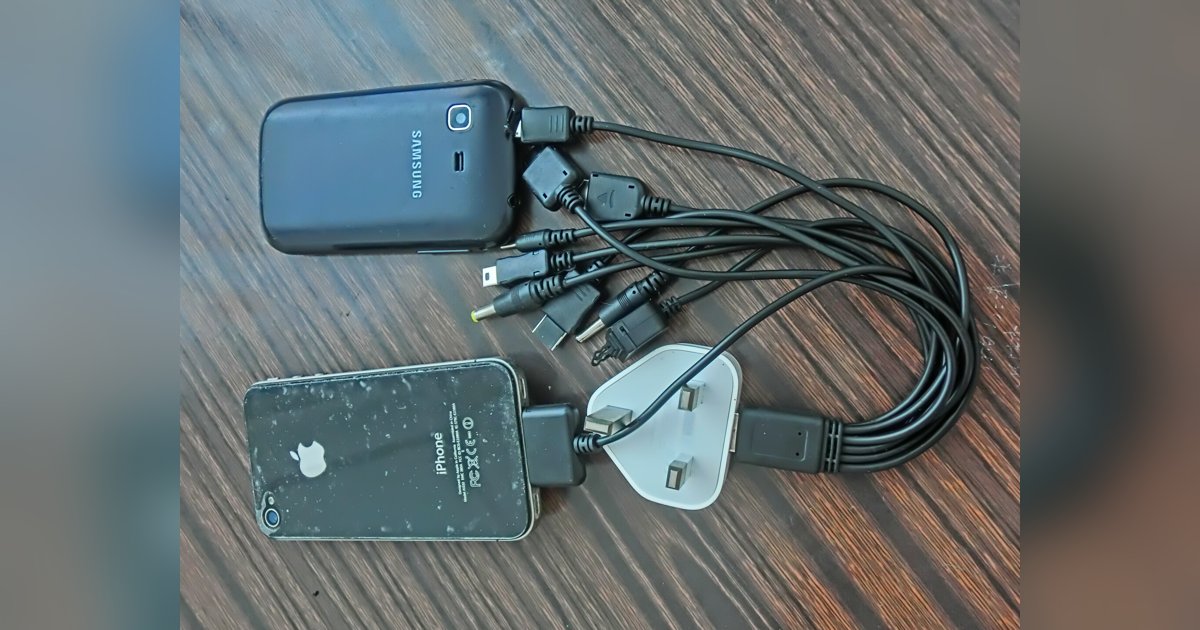
    Fast charging is safe when used with certified chargers and cables, because the phone controls how much current goes in and slows down as the battery fills. Still, faster charging generates more heat, so using a slower charger overnight is a gentle choice for long-term phone battery health. Wireless charging is convenient, but it is usually less efficient and can run warmer, especially if the phone is misaligned on the pad.

    Avoid cheap uncertified chargers. Poor quality ones can deliver unstable power and, in rare cases, create a safety risk.

    Settings that reduce daily drain

    Using less power per day means fewer cycles over the years.

    1. Lower screen brightness or use automatic brightness. The display is usually the largest power draw.
    2. Use dark mode if your phone has an OLED screen, as black pixels use little energy.
    3. Limit background refresh for apps you rarely open.
    4. Turn off location access for apps that do not need it.
    5. Use Wi-Fi where possible, since a weak mobile signal makes the radio work harder.
    6. Enable low power mode when you are far from a charger.

    Myths worth dropping

    • Close all apps constantly. Reopening them from scratch can actually use more energy.
    • Never charge overnight. Modern phones stop drawing power when full.
    • Let it drain to zero for calibration. That advice came from older battery types and can harm lithium-ion cells.

    Checking and replacing

    Most phones show a battery health percentage in settings, and some Android phones show it through diagnostic menus or the manufacturer’s app. When capacity falls near eighty percent, or the phone shuts down unexpectedly, loses charge quickly or throttles performance, it may be time for a replacement. Battery swaps at an authorized service centre cost far less than a new phone, and some regions now require manufacturers to make batteries easier to replace.

    You cannot freeze phone battery health in place, but sensible charging, cool temperatures and a few settings can add a year or more of comfortable use, which saves money and reduces electronic waste.

    For more background, see the Wikipedia article.

    Related reading