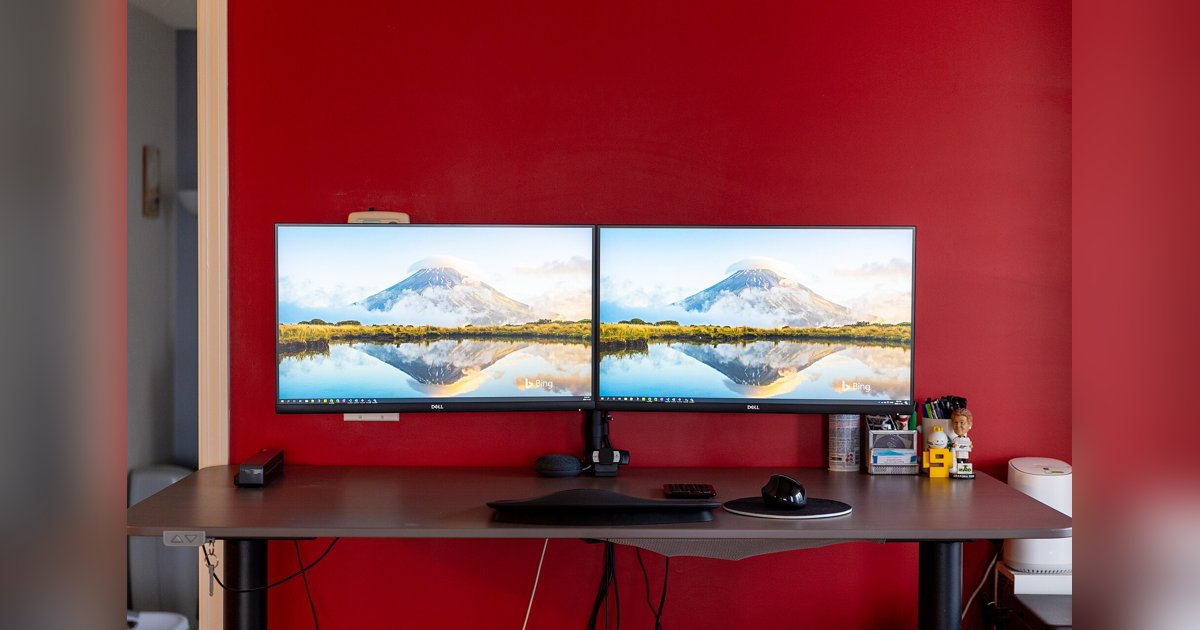
Spend eight hours at a desk and small mismatches add up. A screen a bit too low, a chair a bit too high, a mouse a bit too far away: none of these feels dramatic, but together they can leave you stiff by mid-afternoon. Desk ergonomics is simply the practice of fitting your workspace to your body rather than forcing your body to fit the workspace.
This is general wellness guidance, not medical advice. If you have persistent pain, numbness or tingling, see a clinician or an occupational health professional.
Start With the Chair
Your chair is the foundation. Adjust the height so your feet rest flat on the floor, with knees roughly level with or slightly below your hips. Your thighs should be supported without the seat edge pressing into the backs of your knees. If your feet do not reach the floor, use a footrest.
Next, check the back support. Many chairs have a curve intended to support the lower back. Sit back so your hips are close to the backrest, and adjust the lumbar support to fit the natural curve of your spine. If your chair lacks this, a small rolled towel or cushion can help.
Armrests, if present, should let your shoulders relax with elbows near a right angle. If they push your shoulders up, lower them or remove them.
Position the Screen
A common culprit is a screen that is too low, especially when working on a laptop. The top of the monitor should sit at or slightly below eye level, about an arm’s length away. This lets you look straight ahead or very slightly down without craning your neck.
If you use a laptop all day, consider a stand plus a separate keyboard and mouse. Raising the screen alone, with the keyboard still attached, forces your arms upward and defeats the purpose.
Look After Your Eyes
Reduce glare by placing your screen at right angles to windows and adjusting brightness to match your surroundings. A simple habit often called the 20-20-20 rule suggests looking at something about 20 feet away for 20 seconds every 20 minutes. It is easy to remember and gives your eyes a break.
Arrange Keyboard and Mouse
Your keyboard and mouse should be close enough that your upper arms hang comfortably by your sides, with elbows bent near 90 degrees. Wrists should stay fairly straight rather than bent up or down. Avoid reaching far for the mouse; keep it at the same level as the keyboard and close to it.
Little extras can help. A palm rest can support your wrists during pauses, though you should not lean on it while typing. A keyboard with a comfortable layout, or a mouse that suits your hand size, may reduce strain for some people.
Organize Your Desk Within Reach
Keep frequently used items, such as your phone, notebook and water, within easy reach to avoid repeated stretching or twisting. Put the phone on speaker or use a headset instead of cradling it between ear and shoulder. If you use two screens, place the main one directly in front and the secondary to the side.
Desk Ergonomics Means the Best Posture Is the Next One
Even perfect desk ergonomics cannot make sitting for hours ideal. Bodies are designed to move. Vary your position, stand up regularly, and break up long stretches with short walks. A reasonable target is to move for a minute or two every half hour or so.
Easy ideas for staying mobile:
- Stand during phone calls.
- Walk to a colleague instead of sending a message.
- Refill your water bottle at the far tap.
- Roll your shoulders and stretch your neck gently each hour.
- Try a sit-stand desk or a raised surface for part of the day, if available.
If you use a standing desk, avoid standing still for very long periods either. Alternate positions and wear comfortable shoes, perhaps with a cushioned mat.
Check Your Setup in a Mirror or Photo
It is surprisingly hard to feel your own posture. Ask a colleague to take a quick side photo, or use your phone camera. You may spot a forward head, rounded shoulders or a twisted torso that you do not notice at the time.
Home Offices and Small Spaces
Working from a kitchen table or sofa is common. Improvise where needed: books can lift a laptop, a cushion can raise your seat and a rolled towel can support your back. Avoid working on a sofa or bed for long periods, since they offer little support.
Remember that no single desk ergonomics setup suits everyone. Height, arm length and the kind of work you do all change what is comfortable. Adjust gradually, change one thing at a time and notice how you feel after a few days.
Good desk ergonomics will not solve every ache, but it removes many avoidable strains and makes workdays more comfortable. If discomfort lingers despite changes, a professional assessment is a sensible next step.
For more background, see the Wikipedia article.